 |

2 Jul 2011
|
|
Contributing Member
Veteran HUBBer
|
|
Join Date: Aug 2005
Posts: 839
|
|
|
video editing hosting
I just purchased my first HD camcorder ( AVCHD) to get ready for my upcoming trip and will also use my go pro HD (.MPEG4). I was curious to see what video software you guys use and also what can of hosting you like best ( I like youtube and vimeo), I will also use a notebook ( didn't buy it yet ) so I need a software that can work on good notebook (dual core and at lease 200G memory)
|
10 Jul 2011
|
 |
Registered Users
Veteran HUBBer
|
|
Join Date: Nov 2004
Location: London / Moscow
Posts: 1,913
|
|
Quote:
Originally Posted by HendiKaf

I just purchased my first HD camcorder ( AVCHD) to get ready for my upcoming trip and will also use my go pro HD (.MPEG4). I was curious to see what video software you guys use and also what can of hosting you like best ( I like youtube and vimeo), I will also use a notebook ( didn't buy it yet ) so I need a software that can work on good notebook (dual core and at lease 200G memory)
|
I have never heard of a notebook with 200 GB of memory!
Do you mean 2GB?
I have a windows 7 laptop that promises to play HD video, but it cant play compressed HD video, and certainly cant edit it. You really want to max out the specs on your laptop if you want to edit HD video on the move. The most powerful unit you can get, with a good graphics chipset and at least 4GB of RAM.
Sony Vegas HD Platinum is a good program to start with, and not expensive. If you are a more experienced editor and want a more comprehensive editing suite, look at Sony Vegas Pro, or Premiere Pro by Adobe. If you are using a Macbook Pro, then I know documentary film makers who do almost everything on one of those using apple's final cut pro.
If you want full professional software then Avid Media Creator is the go, but you will need a pilots licence to use it.
My suggestion, start with something simple yet capable, like Vegas HD platinum 11.
|
10 Jul 2011
|
|
Registered Users
HUBB regular
|
|
Join Date: Feb 2006
Location: scotland
Posts: 74
|
|
|
When i first tried to edit avchd video my dual core laptop was no use, the play back would stutter and freeze etc. the same laptop would edit dv no problem. I now use a pc with a quad core i7 chip, a dedicated graphics card with 1.5GB of graphics memory and 12GB of system memory.Avchd, because of the compression codec is very cpu intensive when editing. I`ve done a fair bit of trial and error on this and found that sony vegas pro 10 works really well for avchd video as does adobe premiere cs5, I much prefer vegas as i find it intuative and quick to use. I think it`s a big ask of a dual core notebook to edit avchd movies, so it might be an idea to convert your files to an intermediate codec like cineform neoscene which is much easier on your cpu and retains all the quality of your video, or you could use your NLE to convert your footage to dv and then edit that, you will loose resolution this way but if you only intend the output for youtube it will still look good if you have the correct render settings, you will of course still have your original files to archive for future editing ! You can also use low res proxy files to edit, then render out at full res, I`ve never used this method so i cant comment on how effective it is. Do you intend editing while you are on the road or back home ? If at home, I would take a cheap note book on your trip and a portable usb powered hard drive (or 2) to store the avchd files, make sure your note book will power the drives as some notebooks have the power bus disabled to increase battery life.
regards, Marty
|
10 Jul 2011
|
|
Registered Users
HUBB regular
|
|
Join Date: Feb 2006
Location: scotland
Posts: 74
|
|
|
Forgot to say i`m using windows 7 ultimate 64 bit on a machine that is only used for editing i.e. not connected to the internet . I tried to run on vista but i had all sorts of problems with codecs etc. So make sure to use windows 7 cause it all worked straight out the box. Bear in mind some netbooks run windows 7 starter which has much fewer features than full versions. Hope this helps.........Marty
|
12 Jul 2011
|
|
Contributing Member
Veteran HUBBer
|
|
Join Date: Aug 2005
Posts: 839
|
|
|
video editing
Thanks for the help guys , I guess I will convert the file and work some of them on the road and do a better job back home , now I will start the search for notebook or maybe small laptop.
Hendi
|
13 Jul 2011
|
 |
Registered Users
HUBB regular
|
|
Join Date: Dec 2010
Location: Manchester UK
Posts: 43
|
|
 no wahy
Just completed 31 days (8525 miles), and 36 x 2 to 8 GB SD cards of HD video. (Use minimum 8gbs to get any time to speak of. 2gb are not big enough) My Toshiba notebook would not download ANY of the clips via WiFi, nor can I edit very much on my 6gb laptop back home. Not many off the shelf video editing programs will actually work on HD without spending £20,000. Convertinng back to non=HD is easier.
Good luck
|
13 Jul 2011
|
|
Contributing Member
Veteran HUBBer
|
|
Join Date: Aug 2005
Posts: 839
|
|
|
editing
what kind of software did you use for your basic editing ? , as far as laptop I think I will go with a dual core and 8 G , hopefully this will work , if not I can always change the format and later on do some editing at home.
|
1 Feb 2012
|
|
Registered Users
Veteran HUBBer
|
|
Join Date: Nov 2007
Location: Perth West Australia
Posts: 151
|
|
|
Video editing and back up
Hi
I've just bought a new laptop for this year. I am using a newer Aspire netbook with 228 gb SSD (no hard drive so no mechanical problems hopefully) and storing a lot of the video files on usb thumbdrives and portable hdd as back up.
I plan to edit on the road as I never seem to get it finished at home due to other things getting in the way. Work etc.
I alo have an ipad and discovered that it is good as a second screen using a special $10 app so heres my solid state setup for this year.
Attachment 6035
All I need now is the handsome hero to make it all look interesting ... 
|
13 Feb 2013
|
 |
Registered Users
HUBB regular
|
|
Join Date: Feb 2011
Location: Prague
Posts: 39
|
|
|
Video backup
Two years ago I bought a Acer Aspire One which has a 500GB HD and small 10inch screen, its very light and small and the battery lasts a good 7 hours. I usually carry it in a tight small laptop bag and then place in amoungst my clothing in my top box.( I can recharge it off the bike as well)
I also carry a number of media cards and spare batteries for my cameras so that I can change them on the fly durring the day then download backup all the media cards onto the Acer Aspire at night making individual directories for each day togther with a criptic diary to remind me of the days events for later.
When I get home I then transfer all the media files onto a external HD.
I use a Apple Imac and use Final Cut Pro for all my editing. It usualy takes me weeks to edit all my video and photos and make some sence of it all but that is all part of the fun and it helps to prolong the holiday feeling.
The one good thing about using a small laptop to back up too is that you can check to see if your cameras are still working OK and if they need any adjustment rather than get home home and find out they are trash.

|
|
Currently Active Users Viewing This Thread: 1 (0 Registered Users and/or Members and 1 guests)
|
|
|
 Posting Rules
|
You may not post new threads
You may not post replies
You may not post attachments
You may not edit your posts
HTML code is Off
|
|
|
|

Check the RAW segments; Grant, your HU host is on every month!
Episodes below to listen to while you, err, pretend to do something or other...
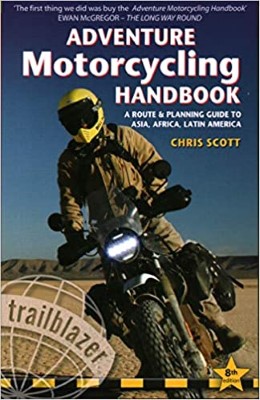
2020 Edition of Chris Scott's Adventure Motorcycling Handbook.
"Ultimate global guide for red-blooded bikers planning overseas exploration. Covers choice & preparation of best bike, shipping overseas, baggage design, riding techniques, travel health, visas, documentation, safety and useful addresses." Recommended. (Grant)

Ripcord Rescue Travel Insurance™ combines into a single integrated program the best evacuation and rescue with the premier travel insurance coverages designed for adventurers.
Led by special operations veterans, Stanford Medicine affiliated physicians, paramedics and other travel experts, Ripcord is perfect for adventure seekers, climbers, skiers, sports enthusiasts, hunters, international travelers, humanitarian efforts, expeditions and more.
Ripcord travel protection is now available for ALL nationalities, and travel is covered on motorcycles of all sizes!
What others say about HU...
"This site is the BIBLE for international bike travelers." Greg, Australia
"Thank you! The web site, The travels, The insight, The inspiration, Everything, just thanks." Colin, UK
"My friend and I are planning a trip from Singapore to England... We found (the HU) site invaluable as an aid to planning and have based a lot of our purchases (bikes, riding gear, etc.) on what we have learned from this site." Phil, Australia
"I for one always had an adventurous spirit, but you and Susan lit the fire for my trip and I'll be forever grateful for what you two do to inspire others to just do it." Brent, USA
"Your website is a mecca of valuable information and the (video) series is informative, entertaining, and inspiring!" Jennifer, Canada
"Your worldwide organisation and events are the Go To places to for all serious touring and aspiring touring bikers." Trevor, South Africa
"This is the answer to all my questions." Haydn, Australia
"Keep going the excellent work you are doing for Horizons Unlimited - I love it!" Thomas, Germany
Lots more comments here!

Diaries of a compulsive traveller
by Graham Field
Book, eBook, Audiobook
"A compelling, honest, inspiring and entertaining writing style with a built-in feel-good factor" Get them NOW from the authors' website and Amazon.com, Amazon.ca, Amazon.co.uk.
Back Road Map Books and Backroad GPS Maps for all of Canada - a must have!
New to Horizons Unlimited?
New to motorcycle travelling? New to the HU site? Confused? Too many options? It's really very simple - just 4 easy steps!
Horizons Unlimited was founded in 1997 by Grant and Susan Johnson following their journey around the world on a BMW R80G/S.
 Read more about Grant & Susan's story
Membership - help keep us going!
Horizons Unlimited is not a big multi-national company, just two people who love motorcycle travel and have grown what started as a hobby in 1997 into a full time job (usually 8-10 hours per day and 7 days a week) and a labour of love. To keep it going and a roof over our heads, we run events all over the world with the help of volunteers; we sell inspirational and informative DVDs; we have a few selected advertisers; and we make a small amount from memberships.
You don't have to be a Member to come to an HU meeting, access the website, or ask questions on the HUBB. What you get for your membership contribution is our sincere gratitude, good karma and knowing that you're helping to keep the motorcycle travel dream alive. Contributing Members and Gold Members do get additional features on the HUBB. Here's a list of all the Member benefits on the HUBB.
|
|
|










 no wahy
 Linear Mode


