 |
|

13 Apr 2010
|
 |
Contributing Member
Veteran HUBBer
|
|
Join Date: Sep 2003
Location: Whangarei, NZ
Posts: 2,214
|
|
 Useful free Garmin maps
I list here all the free Garmin GPS maps I have found. Most, if not all of them are community projects, meaning they are free because people contribute their time, track logs and local knowledge to them. So, if you do use one please do contribute towards the project. It only costs you time.
Indonesia: [navigasi.net] Download Peta GPS Indonesia
Very good in Sumatra, Java and Bali. Further East the coverage gets thin. The link above goes directly to the download page. The rest of the site is in Bahasa Indonesia, so most people won't be able to navigate the site or post contributions. I suggest you contribute to OSM instead.
Malaysia:
- Malsingmaps.com - GPS Portal of Malaysia and Singapore. It's so good that Garmin are now bundling it with their GPS units sold there. NT version with Lane Assist and limited Junction View. All the roads travellers are likely to take are there, along with lots of POIs. Updated frequently.
- Malfreemaps.com - Mappers split from Malsingmaps to start their own project. Non-NT version, coverage is similar.
NZ: NZ Open GPS Project
Contains every road, street and alleyway, many with house numbers, lots of useful POIs. Updated weekly.
Thailand:
[KC Loh & others have produced an excellent map of the North.] <== mapcenter2 hosting this map is down. Try getting it here instead.
Rest of the world: OpenStreetMap
A wiki map project. Just zoom in on a place, click edit and change. Changes appear on the map almost immediately. Worldwide routable Garmin maps from OpenStreetMap is updated from this weekly.
If you know of any other good free Garmin maps please contribute your knowledge here.
Last edited by beddhist; 14 May 2011 at 10:04.
Reason: Removed GT-Rider & SmellyBiker maps, haven't been released
|
15 Nov 2010
|
|
Contributing Member
Veteran HUBBer
|
|
Join Date: Sep 2003
Location: Whangarei, NZ
Posts: 2,214
|
|
|
|
15 Nov 2010
|
 |
Registered Users
Veteran HUBBer
|
|
Join Date: Nov 2004
Location: London / Moscow
Posts: 1,913
|
|
|
Thanks
Good thread Peter
|
18 Nov 2010
|
 |
Registered Users
Veteran HUBBer
|
|
Join Date: Mar 2008
Location: travelling
Posts: 204
|
|
here some more:
- Brazil
- Peru
- Venezuela
- Colombia
Adventurous greetings,
Coen
__________________
--------------------------------------------------
- On the road since 2003 in a vintage Land Cruiser
|
18 Nov 2010
|
|
Contributing Member
Veteran HUBBer
|
|
Join Date: Sep 2003
Location: Whangarei, NZ
Posts: 2,214
|
|
Thank you for your contribution, Coen.
|
18 Nov 2010
|
|
Registered Users
HUBB regular
|
|
Join Date: Oct 2009
Location: always on the move
Posts: 87
|
|
|
Installing ProyectoMapear on top of OSM?
Quote:
Originally Posted by beddhist

|
Hi beddhist,
I have the osm-maps for the lower half of South America installed on my Garmin Zumo 660. Maps are not bad, routing works fine most of the time. Alas, for many medium towns street maps are not yet available.
You recommend Proyecto Mapear for the Southern Cone, and I hear that these are the best free maps for Argentina/Chile.
 Can I install these maps on my Garmin through MapQuest on top of of the OSM maps already installed or might that cause problems?
Cheers,
Frank
__________________
“It’s just a walk in the park!”
“You mean people are going to mug us and steal all our money and kick us viciously in the ribs?” Terry Prachett
|
19 Nov 2010
|
|
Contributing Member
Veteran HUBBer
|
|
Join Date: Sep 2003
Location: Whangarei, NZ
Posts: 2,214
|
|
|
I assume you mean MapSource, not MapQuest.
I think it should be possible. One of 3 things should happen:
1. Mapear covers OSM, so you need to switch it off to see OSM, or
2. Vice-versa, or
3. Both display at the same time. Routing could get very interesting in that case.
You should look at MS before setting off and turn off the map you don't want to use, if you want to use routing.
All this is guesswork on my part. I've only ever have had this with other, non-routable maps.
Please contribute your tracks to OSM, if you ride roads not on the map.
|
19 Nov 2010
|
|
Registered Users
HUBB regular
|
|
Join Date: Oct 2009
Location: always on the move
Posts: 87
|
|
|
OSM-Mapear on Garmin
Thanks for your quick reply Peter. Of course I ment MapSource. In that case I'd rather not install Mapear on top of OSM. OSM works for me. Just that I thought Mapear might be a bit better. I'd like to contribute to OSM, alas, I need to find a few hours (maybe a couple of days) with nothing else to do to read about the technical details. I only bought my first GPS half a year ago. I can use it (and extremely useful it is!), but I still have no idea about the technical side of mapping software.
Cheers, Frank
Update 10 Nov 2011: There was no problem intalling OSM in the device memory and ProjectoMapear on the micro-SD card of the Zumo. However, if you install a 2nd map in the same memory type, the first map might be thrown out. Happened to me when I put Bolivia maps into the SD card. Suddenly ProjectoMapear was gone, I had to reinstall it. After that the Bolivia Maps were gone.
__________________
“It’s just a walk in the park!”
“You mean people are going to mug us and steal all our money and kick us viciously in the ribs?” Terry Prachett
Last edited by mekongfrank; 11 Nov 2011 at 03:55.
|
19 Nov 2010
|
|
Contributing Member
Veteran HUBBer
|
|
Join Date: Sep 2003
Location: Whangarei, NZ
Posts: 2,214
|
|
|
Don't worry about the mapping at this stage. Even if you just collect GPX tracks and upload them to OSM, that will be very useful. You find them when you connect the zumo to your PC in the folder \Garmin\GPX and \Garmin\Archive\GPX. You can open the files directly in Mapsource.
There really is no problem about having two maps in the GPS. After loading both maps go to Tools > Settings > Map > Map Info. You can now enable or disable any maps.
|
19 Nov 2010
|
|
Registered Users
Veteran HUBBer
|
|
Join Date: Mar 2008
Location: travelling
Posts: 204
|
|
|
for the lower half of South America, stick with Mapear! This is done very professional! Use OSM as a back up if you have nothing els then the basic world map.
Adventurous greetings,
Coen
__________________
--------------------------------------------------
- On the road since 2003 in a vintage Land Cruiser
|
23 Nov 2010
|
|
Registered Users
HUBB regular
|
|
Join Date: Oct 2009
Location: always on the move
Posts: 87
|
|
|
ProyectoMapear on top of OSM installed
Thanks for your input Beddhist and Mailking!
I managed to install ProyectoMapear on top of OSM and it seems to work fine without having turned off any of my installed maps. A few test routes seemed to have been calculated without a glitch. I'll let you know in case I should run into problems later.
Beddhist,
I uploaded a file to OSM
OpenStreetMap
These are my last 15 tracks (Zumo660 doesn't store more and I never saved them before), joined together with Mapsource.
Could you tell me if I should do anything else, like which tags are useful in that case. I'll keep uploading my tracks, but I don't know if I'll ever find the time to do much else with them.
__________________
“It’s just a walk in the park!”
“You mean people are going to mug us and steal all our money and kick us viciously in the ribs?” Terry Prachett
Last edited by mekongfrank; 23 Nov 2010 at 22:04.
Reason: Forgot to mention that I run all maps parallel on the Zumo (for now?)
|
24 Nov 2010
|
|
Contributing Member
Veteran HUBBer
|
|
Join Date: Sep 2003
Location: Whangarei, NZ
Posts: 2,214
|
|
Quote:
Originally Posted by mekongfrank
I uploaded a file to OSM
OpenStreetMap
These are my last 15 tracks |
That's great. Yes, you should add some tags. Country name, for starters, road numbers or names of towns, anything else you may think can be searched.
Quote:
|
Zumo660 doesn't store more
|
Oh yes, it does: check in \Garmin\Archive
Thanks for contributing. Your tracks will be useful when people map in that area, even without tags.
|
28 Nov 2010
|
|
Registered Users
HUBB regular
|
|
Join Date: Jan 2009
Location: Australia
Posts: 95
|
|
|
can anyone point me in the right direction to learn how to use these maps. I have a garmin 660 but when I open mapsource It doesn't seem to have any world routable map on it. Also how does one get the OSM information onto ones computer then onto the garmin. I just don't seem to be able to figure it out or make it work. would love to find some decent reading material on all this
Simon
|
28 Nov 2010
|
|
Contributing Member
Veteran HUBBer
|
|
Join Date: Sep 2003
Location: Whangarei, NZ
Posts: 2,214
|
|
Most maps are Windows programs that you need to run (double-click) and they in turn then install the maps onto your PC. You can then choose the map in MS. Here are some tutorials:
GPS for Beginners - Motorcycle-Navigation.net
Last edited by Bertrand; 28 Nov 2010 at 12:14.
|
28 Nov 2010
|
|
Registered Users
HUBB regular
|
|
Join Date: Jan 2009
Location: Australia
Posts: 95
|
|
|
Thanks kindly for that. I wonder if I have a problem with my Mapsource program as it will not open / recognize the OSM maps.
Simon
|
|
Currently Active Users Viewing This Thread: 1 (0 Registered Users and/or Members and 1 guests)
|
|
|
 Posting Rules
|
You may not post new threads
You may not post replies
You may not post attachments
You may not edit your posts
HTML code is Off
|
|
|
|

Check the RAW segments; Grant, your HU host is on every month!
Episodes below to listen to while you, err, pretend to do something or other...
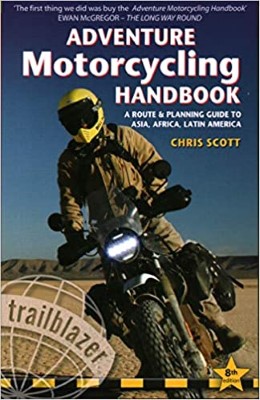
2020 Edition of Chris Scott's Adventure Motorcycling Handbook.
"Ultimate global guide for red-blooded bikers planning overseas exploration. Covers choice & preparation of best bike, shipping overseas, baggage design, riding techniques, travel health, visas, documentation, safety and useful addresses." Recommended. (Grant)

Ripcord Rescue Travel Insurance™ combines into a single integrated program the best evacuation and rescue with the premier travel insurance coverages designed for adventurers.
Led by special operations veterans, Stanford Medicine affiliated physicians, paramedics and other travel experts, Ripcord is perfect for adventure seekers, climbers, skiers, sports enthusiasts, hunters, international travelers, humanitarian efforts, expeditions and more.
Ripcord travel protection is now available for ALL nationalities, and travel is covered on motorcycles of all sizes!
What others say about HU...
"This site is the BIBLE for international bike travelers." Greg, Australia
"Thank you! The web site, The travels, The insight, The inspiration, Everything, just thanks." Colin, UK
"My friend and I are planning a trip from Singapore to England... We found (the HU) site invaluable as an aid to planning and have based a lot of our purchases (bikes, riding gear, etc.) on what we have learned from this site." Phil, Australia
"I for one always had an adventurous spirit, but you and Susan lit the fire for my trip and I'll be forever grateful for what you two do to inspire others to just do it." Brent, USA
"Your website is a mecca of valuable information and the (video) series is informative, entertaining, and inspiring!" Jennifer, Canada
"Your worldwide organisation and events are the Go To places to for all serious touring and aspiring touring bikers." Trevor, South Africa
"This is the answer to all my questions." Haydn, Australia
"Keep going the excellent work you are doing for Horizons Unlimited - I love it!" Thomas, Germany
Lots more comments here!

Diaries of a compulsive traveller
by Graham Field
Book, eBook, Audiobook
"A compelling, honest, inspiring and entertaining writing style with a built-in feel-good factor" Get them NOW from the authors' website and Amazon.com, Amazon.ca, Amazon.co.uk.
Back Road Map Books and Backroad GPS Maps for all of Canada - a must have!
New to Horizons Unlimited?
New to motorcycle travelling? New to the HU site? Confused? Too many options? It's really very simple - just 4 easy steps!
Horizons Unlimited was founded in 1997 by Grant and Susan Johnson following their journey around the world on a BMW R80G/S.
 Read more about Grant & Susan's story
Membership - help keep us going!
Horizons Unlimited is not a big multi-national company, just two people who love motorcycle travel and have grown what started as a hobby in 1997 into a full time job (usually 8-10 hours per day and 7 days a week) and a labour of love. To keep it going and a roof over our heads, we run events all over the world with the help of volunteers; we sell inspirational and informative DVDs; we have a few selected advertisers; and we make a small amount from memberships.
You don't have to be a Member to come to an HU meeting, access the website, or ask questions on the HUBB. What you get for your membership contribution is our sincere gratitude, good karma and knowing that you're helping to keep the motorcycle travel dream alive. Contributing Members and Gold Members do get additional features on the HUBB. Here's a list of all the Member benefits on the HUBB.
|
|
|








 Useful free Garmin maps




 Linear Mode


