 6Likes 6Likes
 |
|

3 Oct 2011
|
 |
-
Veteran HUBBer
|
|
Join Date: Apr 2006
Location: WWW
Posts: 2,341
|
|
Still works? I don't know nor am I going to try it-
Combining maps of the same area,m whilst do-able, is likely to cause a navigational nightmare.
Garmin have told me the same and also not to have two maps enabled for the same are at the same time as this can results in weird routing calculations. Tho sets of good data, joined, will most probably result in routing gobledeegook!.
In the Montana you simply have two (or more) img files and you just enable the one you want. simples!
If you are upgrading, I would recommend Garmin's Montana. Garmin have done a very good job with it -
I'm not a fan of updates but today's one brought new options that I find very practical. see above-
Time to 'take Ze plunge mon ami' !! and get one! ( I should be on commission- alas......)
Last edited by Bertrand; 8 Oct 2011 at 12:50.
|
11 Oct 2011
|
|
-
Veteran HUBBer
|
|
Join Date: Apr 2006
Location: WWW
Posts: 2,341
|
|
 HEADS UP - A Spooky development!
Here is a very Spooky  development!!
Spooky has found by accident that you actually can rename a gmapsupp image anything you like - for example 'India' or Thailand etc as long as you do not alter the file extension!
This means you no longer need to rename the files gmapsupp1, gmapsupp2, etc.
Just to be safe, before I posted this up, I checked this with Garmin and they tell me that this is fine and works on the latest units.
Works on Montana and the handheld 62S - I did not ask about other units.
This is particularly helpful when saving OSM maps of various parts of the world as it identifies them clearly when the micro SD is placed in an adapter so that you can read the content on a PC and not overwrite the wrong file.
Congratulations to Spooky for finding this little treasure!
|
11 Oct 2011
|
|
Gold Member
Veteran HUBBer
|
|
Join Date: Feb 2011
Location: In Ireland, Working to save for the next trip
Posts: 291
|
|
|
Hi,
Is anyone using a Montana in a 4x4 with a lot of "stuff" - RTT or whatever over the cab? How is the reception?
Do any of the mounting brackets allow for the use of an external Ariel? Anyone think they are needed?
Merv.
|
11 Oct 2011
|
|
-
Veteran HUBBer
|
|
Join Date: Apr 2006
Location: WWW
Posts: 2,341
|
|
|
Yes Merv
Yes, there is an output for an external antenna - needed? mmm hard one that- if in vehicle with heavy shielding maybe?
Yes, I also use this in my 4x4 without any problems without an extra antenna-and I have VHF/CB etc on board
Yes the montana automotive mount allows access fore the cable
No, no problems of signal loss at all. (tunnels and places of the sort excluded!)
|
15 Oct 2011
|
|
Registered Users
Veteran HUBBer
|
|
Join Date: Jun 2007
Location: Melbourne, Australia
Posts: 198
|
|
Quote:
Originally Posted by Mervifwdc

Hi,
Is anyone using a Montana in a 4x4 with a lot of "stuff" - RTT or whatever over the cab? How is the reception?
Do any of the mounting brackets allow for the use of an external Ariel? Anyone think they are needed?
Merv.
|
I have used this a lot in my land rover that has a very vertical screen and you do not need an external antenna. I did on my previous Garmin 176c. So I would be surprised if you did need an external antenna. This unit seems to have a pretty sensitive receiver.
Dan
|
16 Oct 2011
|
 |
Contributing Member
Veteran HUBBer
|
|
Join Date: Sep 2003
Location: Whangarei, NZ
Posts: 2,214
|
|
Quote:
Originally Posted by Bertrand
Combining maps of the same area,m whilst do-able, is likely to cause a navigational nightmare.
|
But only if the maps are all routable! You can combine a routable road map with a non-routable topo map and that should not cause any problems.
|
16 Oct 2011
|
|
Registered Users
Veteran HUBBer
|
|
Join Date: Jun 2007
Location: Melbourne, Australia
Posts: 198
|
|
Quote:
Originally Posted by beddhist
But only if the maps are all routable! You can combine a routable road map with a non-routable topo map and that should not cause any problems.
|
I can confirm this. We were in Slovenia in the summer and the Adria and CityNavigator maps caused the unit to go mental when i accidentally forgot to disable one. I eventually managed to get it to disable one set.
This is only an issue when you try to calculate a route.
I have noticed odd behaviour between Explorer and Birdseye layers, where you don't get the correct detail as you zoom in. I have a toggle shortcut to work around this.
|
18 Oct 2011
|
|
Registered Users
Veteran HUBBer
|
|
Join Date: Apr 2005
Location: Salisbury
Posts: 204
|
|
|
The following questions will give an idea of my level of knowledge, but here goes:
With the Montana can you design bespoke routes on a PC utilising Mapsource and transfer them to the unit?
Garmin appears to offer automotive and marine mounts with a power and audio cable, can it then be hardwired into the 'bike's power removing the need for batteries?
Many thanks.
|
18 Oct 2011
|
|
Registered Users
Veteran HUBBer
|
|
Join Date: Jun 2007
Location: Melbourne, Australia
Posts: 198
|
|
Quote:
Originally Posted by EMBEE
The following questions will give an idea of my level of knowledge, but here goes:
With the Montana can you design bespoke routes on a PC utilising Mapsource and transfer them to the unit?
Garmin appears to offer automotive and marine mounts with a power and audio cable, can it then be hardwired into the 'bike's power removing the need for batteries?
Many thanks.
|
You can use either map source or basecamp. The latter has profiles which allow you to change the behaviour of the program. EG Walking, driving, bike etc
If you hard wire the device it no longer uses the battery, The battery has a very good life of about 14 hours in my experience, it will also takes aa batteries which is useful. The wired connection provides more than just power. EG Audio.
Hope that helps
Dan
|
24 Oct 2011
|
|
-
Veteran HUBBer
|
|
Join Date: Apr 2006
Location: WWW
Posts: 2,341
|
|
|
MONTANA MASTER RESET
Procedure:
1. Turn off the unit.
2. Press the top left hand corner of the screen with your finger.
3. Keeping your finger in the corner, turn on the unit.
4. Keep your finger on the screen, until you get a message ?Do you
really want to erase all user data.
5. Select yes, and follow the setup instructions
6. Now leave the unit in clear view of the sky, outside is better, but a
window sill or glass roofed conservatory will do.
7. Do not move the unit for 30 minutes, this is to allow it re-register
its data with the satellites.
8. Then turn it off and on, and it should be working.
hope this helps someone-
|
25 Oct 2011
|
|
Registered Users
HUBB regular
|
|
Join Date: Sep 2011
Location: Australia
Posts: 37
|
|
|
Can you upload georeferenced images and use them as maps or do you need them to be in the Garmin format?
|
25 Oct 2011
|
|
-
Veteran HUBBer
|
|
Join Date: Apr 2006
Location: WWW
Posts: 2,341
|
|
yes you can as long as the image has been correctly geo-referenced, it will appear
|
29 Oct 2011
|
 |
Registered Users
Veteran HUBBer
|
|
Join Date: Feb 2006
Location: On the border - NE FR
Posts: 865
|
|
Quote:
Originally Posted by Bertrand
... Garmin's AMPS Mount...
I'll be making the rest of the mount to attach this Garmin mount to. (it already comes conveniently pre-drilled with 4 screw holes).
|
Hi Bertrand,
Montana and mount on order but will be a couple of weeks. In the mean-time, can you tell me what spacings the the 4 holes of that mount are please?
See what sort of mounting I can come up with 
John
__________________
Nostradamus Ate My Hamster
|
29 Oct 2011
|
|
-
Veteran HUBBer
|
|
Join Date: Apr 2006
Location: WWW
Posts: 2,341
|
|
with the usual disclaimers!
measured from centre of screws
Last edited by Bertrand; 2 Mar 2016 at 16:17.
|
29 Oct 2011
|
|
Registered Users
Veteran HUBBer
|
|
Join Date: Feb 2006
Location: On the border - NE FR
Posts: 865
|
|
Quote:
Originally Posted by Bertrand
with the usual disclaimers!
|
Beers!
John
__________________
Nostradamus Ate My Hamster
|
|
Currently Active Users Viewing This Thread: 5 (0 Registered Users and/or Members and 5 guests)
|
|
|
 Posting Rules
|
You may not post new threads
You may not post replies
You may not post attachments
You may not edit your posts
HTML code is Off
|
|
|
|

Check the RAW segments; Grant, your HU host is on every month!
Episodes below to listen to while you, err, pretend to do something or other...
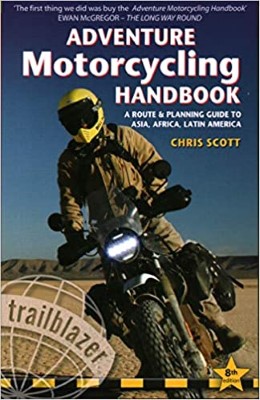
2020 Edition of Chris Scott's Adventure Motorcycling Handbook.
"Ultimate global guide for red-blooded bikers planning overseas exploration. Covers choice & preparation of best bike, shipping overseas, baggage design, riding techniques, travel health, visas, documentation, safety and useful addresses." Recommended. (Grant)

Ripcord Rescue Travel Insurance™ combines into a single integrated program the best evacuation and rescue with the premier travel insurance coverages designed for adventurers.
Led by special operations veterans, Stanford Medicine affiliated physicians, paramedics and other travel experts, Ripcord is perfect for adventure seekers, climbers, skiers, sports enthusiasts, hunters, international travelers, humanitarian efforts, expeditions and more.
Ripcord travel protection is now available for ALL nationalities, and travel is covered on motorcycles of all sizes!
What others say about HU...
"This site is the BIBLE for international bike travelers." Greg, Australia
"Thank you! The web site, The travels, The insight, The inspiration, Everything, just thanks." Colin, UK
"My friend and I are planning a trip from Singapore to England... We found (the HU) site invaluable as an aid to planning and have based a lot of our purchases (bikes, riding gear, etc.) on what we have learned from this site." Phil, Australia
"I for one always had an adventurous spirit, but you and Susan lit the fire for my trip and I'll be forever grateful for what you two do to inspire others to just do it." Brent, USA
"Your website is a mecca of valuable information and the (video) series is informative, entertaining, and inspiring!" Jennifer, Canada
"Your worldwide organisation and events are the Go To places to for all serious touring and aspiring touring bikers." Trevor, South Africa
"This is the answer to all my questions." Haydn, Australia
"Keep going the excellent work you are doing for Horizons Unlimited - I love it!" Thomas, Germany
Lots more comments here!

Diaries of a compulsive traveller
by Graham Field
Book, eBook, Audiobook
"A compelling, honest, inspiring and entertaining writing style with a built-in feel-good factor" Get them NOW from the authors' website and Amazon.com, Amazon.ca, Amazon.co.uk.
Back Road Map Books and Backroad GPS Maps for all of Canada - a must have!
New to Horizons Unlimited?
New to motorcycle travelling? New to the HU site? Confused? Too many options? It's really very simple - just 4 easy steps!
Horizons Unlimited was founded in 1997 by Grant and Susan Johnson following their journey around the world on a BMW R80G/S.
 Read more about Grant & Susan's story
Membership - help keep us going!
Horizons Unlimited is not a big multi-national company, just two people who love motorcycle travel and have grown what started as a hobby in 1997 into a full time job (usually 8-10 hours per day and 7 days a week) and a labour of love. To keep it going and a roof over our heads, we run events all over the world with the help of volunteers; we sell inspirational and informative DVDs; we have a few selected advertisers; and we make a small amount from memberships.
You don't have to be a Member to come to an HU meeting, access the website, or ask questions on the HUBB. What you get for your membership contribution is our sincere gratitude, good karma and knowing that you're helping to keep the motorcycle travel dream alive. Contributing Members and Gold Members do get additional features on the HUBB. Here's a list of all the Member benefits on the HUBB.
|
|
|









 HEADS UP - A Spooky development!
 Linear Mode


