 |
|

14 Jun 2009
|
 |
Gold Member
Veteran HUBBer
|
|
Join Date: Apr 2008
Location: London, UK
Posts: 119
|
|
Quote:
Originally Posted by fernan_ci

I´m trying to install the worldmap from OSM Worldfile Mirror in mapsource, but I can´t, how could I make it? |
What exactly is you doing and what's going wrong?
I use mapsettoolkit v1.62 and after loading the 18,236 OSM tiles the application has a hard time compiling one gmapsup.img - after a while it usually crashes.
If I try to send the maps "directly" to the GPS with sendmap20.exe it appears to do it, and creates a 2GB+ gmapsup.img file in the storage card of my Garmin GPSmap 60CSx, but then the device (the GPS unit) appears to be unable to render the maps, and simply ignores them.
So when it comes to the world map I'm stuck for the time being.
For a map that covers the EU (and some more...), it works fine for me by following the instructions in OSM Map On MapSource - OpenStreetMap
After you've downloaded the tiles from http://openstreetmap.teddynetz.de/latest/eu.tgz it's a matter of seconds to register them in Mapsource (using MapSetToolkit). So then it's just a matter of selecting the area you want in MapSource and clicking "send to device". Works like a charm on my Garmin, and the level of detail for relatively obscure places is excellent.
The resulting gmapsup.img to be found on the device is 600MB (see screenshots).
With this level of detail, I wonder if the GPS device will be able to cope with rendering the maps... if EU alone is 600MB, how big will the file be for a world map? Perhaps it may hit some file size limitation (the data card is formatted as FAT32, which means 4GiB is the max file size - http://en.wikipedia.org/wiki/Compari...systems#Limits
I will certainly post when I get the time to play around with this some more and create my own custom maps. (and I hope that if anyone in HUBB has figured this out they will share the method)
So for the time being only the pre-fab OpenStreetMap EU tiles work for me.
Last edited by apapadop; 14 Jun 2009 at 11:47.
Reason: fixed typo (argh!)
|
14 Jun 2009
|
|
Registered Users
Veteran HUBBer
|
|
Join Date: Apr 2006
Location: Tallinn, Estonia
Posts: 1,048
|
|

Quote:
Originally Posted by apapadop
After you've downloaded the tiles from http://openstreetmap.teddynetz.de/latest/eu.tgz it's a matter of seconds to register them in Mapsource (using MapSetToolkit). So then it's just a matter of selecting the area you want in MapSource and clicking "send to device". Works like a charm on my Garmin, and the level of detail for relatively obscure places is excellent.
|
I read your initial post with interest as I recently managed to loose my Garmin Quest, so I am now loking to replace it. However, some models do not have great pre-loaded maps to start with and I hope to travel to places outside their remit anyway!
So I followed your links and downloaded some comtent. I tried some African map material from one site and the teddynetz EU version too.
However, I have noticed that, in my version of mapsource, the detail of the OSM map is not great. Yes, street level detail is there, but for example there is no colour differentiation between land and sea and this makes interpreting the map on my monitor a little hard, so I can only imagine how hard it will be on the eTrex Legend HCx screen if I go for that model.
Is it my mapsource or is this one of the compromises of free mapware?
__________________
Adventure: it's an experience, not a style!
(so ride what you like, but ride it somewhere new!)
|
14 Jun 2009
|
 |
Registered Users
HUBB regular
|
|
Join Date: Jan 2008
Location: Spain
Posts: 68
|
|
Quote:
Originally Posted by apapadop
What exactly is you doing and what's going wrong?
I use mapsettoolkit v1.62 and after loading the 18,236 OSM tiles the application has a hard time compiling one gmapsup.img - after a while it usually crashes.
If I try to send the maps "directly" to the GPS with sendmap20.exe it appears to do it, and creates a 2GB+ gmapsup.img file in the storage card of my Garmin GPSmap 60CSx, but then the device (the GPS unit) appears to be unable to render the maps, and simply ignores them.
So when it comes to the world map I'm stuck for the time being.
For a map that covers the EU (and some more...), it works fine for me by following the instructions in OSM Map On MapSource - OpenStreetMap
After you've downloaded the tiles from http://openstreetmap.teddynetz.de/latest/eu.tgz it's a matter of seconds to register them in Mapsource (using MapSetToolkit). So then it's just a matter of selecting the area you want in MapSource and clicking "send to device". Works like a charm on my Garmin, and the level of detail for relatively obscure places is excellent.
The resulting gmapsup.img to be found on the device is 600MB (see screenshots).
With this level of detail, I wonder if the GPS device will be able to cope with rendering the maps... if EU alone is 600MB, how big will the file be for a world map? Perhaps it may hit some file size limitation (the data card is formatted as FAT32, which means 4GiB is the max file size - Comparison of file systems - Wikipedia, the free encyclopedia
I will certainly post when I get the time to play around with this some more and create my own custom maps. (and I hope that if anyone in HUBB has figured this out they will share the method)
So for the time being only the pre-fab OpenStreetMap EU tiles work for me. |
With worldmap, I download it and I use mapsettoolkit v1.62 like the instructions, mapsettoolkit shows me that is installed, but I can´t see it when I open mapsource.
I don´t want to make a gmapsup.img of worldmap, but yes of same places.
|
15 Jun 2009
|
|
Gold Member
Veteran HUBBer
|
|
Join Date: Apr 2008
Location: London, UK
Posts: 119
|
|
Quote:
Originally Posted by Warthog
I read your initial post with interest as I recently managed to loose my Garmin Quest, so I am now loking to replace it. However, some models do not have great pre-loaded maps to start with and I hope to travel to places outside their remit anyway!
So I followed your links and downloaded some comtent. I tried some African map material from one site and the teddynetz EU version too.
However, I have noticed that, in my version of mapsource, the detail of the OSM map is not great. Yes, street level detail is there, but for example there is no colour differentiation between land and sea and this makes interpreting the map on my monitor a little hard, so I can only imagine how hard it will be on the eTrex Legend HCx screen if I go for that model.
Is it my mapsource or is this one of the compromises of free mapware?
|
Yes, I've seen this issue too - ocean tiles are not a different color which is confusing.
What other details have you found missing? (post screenshots if possible so I can double-check on my machine)
At some point I saw a thread that discussed how to make ocean tiles blue, but I didn't bookmark it... I suggest you have a go at http://forum.openstreetmap.org/viewforum.php?id=26 (the Garmin-specific OpenStreetMap forum) for any issues, since I'm also just learning about all this stuff and slightly overwhelmed!
|
15 Jun 2009
|
|
Gold Member
Veteran HUBBer
|
|
Join Date: Apr 2008
Location: London, UK
Posts: 119
|
|
Quote:
Originally Posted by fernan_ci
With worldmap, I download it and I use mapsettoolkit v1.62 like the instructions, mapsettoolkit shows me that is installed, but I can´t see it when I open mapsource.
I don´t want to make a gmapsup.img of worldmap, but yes of same places.
|
Right, that's exactly what I want to do as well. Create a custom map with full coverage of the countries I will travel in, in full street level detail (or as much as is available, anyway).
Will let you know once I get the time to play around with this and figure out the steps.
|
15 Jun 2009
|
|
Registered Users
HUBB regular
|
|
Join Date: Jan 2008
Location: Spain
Posts: 68
|
|
Quote:
Originally Posted by apapadop
Right, that's exactly what I want to do as well. Create a custom map with full coverage of the countries I will travel in, in full street level detail (or as much as is available, anyway).
Will let you know once I get the time to play around with this and figure out the steps.
|
Thanks in advance.
|
15 Jun 2009
|
|
Registered Users
Veteran HUBBer
|
|
Join Date: Apr 2006
Location: Tallinn, Estonia
Posts: 1,048
|
|
Quote:
Originally Posted by apapadop
What other details have you found missing? (post screenshots if possible so I can double-check on my machine)
|
So far this is the only issue I have noticed. It's not such a big deal: it's more of a niggle.
After all I may not be able to tell where the land stops and sea starts on a GPS screen but if I have the same difficulty working it out when riding down the road, then I need more than GPS, I need new spectacles!!
__________________
Adventure: it's an experience, not a style!
(so ride what you like, but ride it somewhere new!)
|
15 Jun 2009
|
|
Contributing Member
Veteran HUBBer
|
|
Join Date: Jan 2009
Location: Gloucestershire
Posts: 376
|
|
Great find this, thankyou for posting. I followed the instructions and now have Europe on my 60CSx. Brilliant. 
|
15 Jun 2009
|
|
Gold Member
Veteran HUBBer
|
|
Join Date: Apr 2008
Location: London, UK
Posts: 119
|
|
Quote:
Originally Posted by Warthog
So far this is the only issue I have noticed. It's not such a big deal: it's more of a niggle.
After all I may not be able to tell where the land stops and sea starts on a GPS screen but if I have the same difficulty working it out when riding down the road, then I need more than GPS, I need new spectacles!!
|
It appears that there are ready-made colorful maps of Europe from the same user ( http://wiki.openstreetmap.org/wiki/User:Computerteddy ), but apparently the poor chap has ran out of bandwidth as I can't get to any of the pre-fab maps he links to. You might want to try downloading them through the BitTorrent network - links to torrents here: http://osm.ammit.de/osm/latest/torrents/
I read some warnings that loading "pretty" maps makes rendering significantly slower on the GPS device, but haven't tried them myself (yet!)
|
5 Jan 2010
|
|
Gold Member
Veteran HUBBer
|
|
Join Date: Apr 2008
Location: London, UK
Posts: 119
|
|
 After 3 months of usage...
Hi everyone
An update on the maps as I've now been using them for 3+ months now and can attest to their value. Especially these last few days in India, I've been *seriously* impressed with the level of detail - even back streets in Amritsar & the Delhi bazaar chaotic passages are mapped!
I have used the free openstreetmap.org Garmin packages provided from http://garmin.na1400.info/routable.php and time after time, in Turkey, in Iran, in Pakistan and now in India they are proving excellent and easy to update with your own traces via their website.
Highly recommended!
Alexandros
|
27 Jan 2010
|
|
Registered Users
HUBB regular
|
|
Join Date: Mar 2008
Location: ATHENS
Posts: 36
|
|
I am preparing for Tr, Sy, Jo, Lb trip in 2 months and I find these maps wonderful!! For this area the total of openstreet.exe is only 27 MB and install it easy in mapsource. The details in towns and POI there is very helpfull. I will try these days to send the mapset to my garmin, I hope it will work fine.
And routable? WoW 
|
7 Feb 2010
|
|
Registered Users
HUBB regular
|
|
Join Date: Oct 2009
Location: London
Posts: 24
|
|
|
Perhaps this is worth making a sticky?
Perhaps this is worth making a sticky? - it certainly set me in the right direction for mapping (Thanks to Alexandros). I found this:
Worldwide routable Garmin maps from OpenStreetMap
This service gives you the following for any part of the world (from website): - Installer for Garmin MapSource (Windows).
- Installer for Garmin RoadTrip (Mac OSX)
- Combined image for direct manual placement on the GPS device (gmapsupp.img)
- A zip file just containing all the Garmin map tiles as selected on this website. This is useful for Linux users (e.g. Qlandkarte)
Everything's free, though you are encoraged to contribute tp the mapping project.
|
7 Feb 2010
|
|
Registered Users
HUBB regular
|
|
Join Date: Mar 2008
Location: ATHENS
Posts: 36
|
|
Quote:
Originally Posted by liberec
I am preparing for Tr, Sy, Jo, Lb trip in 2 months and I find these maps wonderful!! For this area the total of openstreet.exe is only 27 MB and install it easy in mapsource. The details in towns and POI there is very helpfull. I will try these days to send the mapset to my garmin, I hope it will work fine.
And routable? WoW |
transfer to the device without probs, the calculating in simulating mode in my garmin 278 is very fast
nice work
@seizetheday - yes from here is taken the selected part of the world
|
30 Nov 2010
|
 |
Contributing Member
Veteran HUBBer
|
|
Join Date: Jul 2005
Location: Wirral, England.
Posts: 5,656
|
|
|
Great post and good work...
I have to agree, osm maps are great. I hadn't even heard of them before I got to Africa which was a fail on my part... They don't seem to be well advertised !! ?
Smelly biker maps are a waste of money IMHO !! There are far superior, cheaper or free maps out there.
For Africa, T4A are great but OSM are almost or just as good...
If you head to South America, go to Dakar Motos, buy a sticker and get the mapear maps from Javier..
__________________
Did some trips.
Rode some bikes.
Fix them for a living.
Can't say anymore.
|
25 Jan 2011
|
|
Registered Users
Veteran HUBBer
|
|
Join Date: Sep 2002
Location: Tomahawk,Wisconsin
Posts: 222
|
|
Quote:
Originally Posted by apapadop
Yes, I've seen this issue too - ocean tiles are not a different color which is confusing.
What other details have you found missing? (post screenshots if possible so I can double-check on my machine)
At some point I saw a thread that discussed how to make ocean tiles blue, but I didn't bookmark it... I suggest you have a go at Garmin maps (Page 1) / OpenStreetMap Forum (the Garmin-specific OpenStreetMap forum) for any issues, since I'm also just learning about all this stuff and slightly overwhelmed! |
Has anyone cracked the ocean color problem??
I have it too and have no idea what to do to change it.
Thanks
bill
|
|
Currently Active Users Viewing This Thread: 1 (0 Registered Users and/or Members and 1 guests)
|
|
|
 Posting Rules
|
You may not post new threads
You may not post replies
You may not post attachments
You may not edit your posts
HTML code is Off
|
|
|
|

Check the RAW segments; Grant, your HU host is on every month!
Episodes below to listen to while you, err, pretend to do something or other...
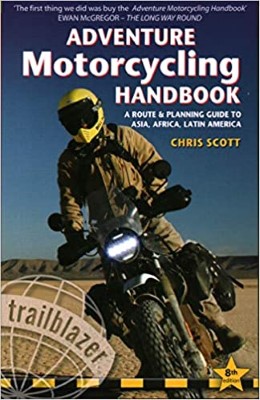
2020 Edition of Chris Scott's Adventure Motorcycling Handbook.
"Ultimate global guide for red-blooded bikers planning overseas exploration. Covers choice & preparation of best bike, shipping overseas, baggage design, riding techniques, travel health, visas, documentation, safety and useful addresses." Recommended. (Grant)

Ripcord Rescue Travel Insurance™ combines into a single integrated program the best evacuation and rescue with the premier travel insurance coverages designed for adventurers.
Led by special operations veterans, Stanford Medicine affiliated physicians, paramedics and other travel experts, Ripcord is perfect for adventure seekers, climbers, skiers, sports enthusiasts, hunters, international travelers, humanitarian efforts, expeditions and more.
Ripcord travel protection is now available for ALL nationalities, and travel is covered on motorcycles of all sizes!
What others say about HU...
"This site is the BIBLE for international bike travelers." Greg, Australia
"Thank you! The web site, The travels, The insight, The inspiration, Everything, just thanks." Colin, UK
"My friend and I are planning a trip from Singapore to England... We found (the HU) site invaluable as an aid to planning and have based a lot of our purchases (bikes, riding gear, etc.) on what we have learned from this site." Phil, Australia
"I for one always had an adventurous spirit, but you and Susan lit the fire for my trip and I'll be forever grateful for what you two do to inspire others to just do it." Brent, USA
"Your website is a mecca of valuable information and the (video) series is informative, entertaining, and inspiring!" Jennifer, Canada
"Your worldwide organisation and events are the Go To places to for all serious touring and aspiring touring bikers." Trevor, South Africa
"This is the answer to all my questions." Haydn, Australia
"Keep going the excellent work you are doing for Horizons Unlimited - I love it!" Thomas, Germany
Lots more comments here!

Diaries of a compulsive traveller
by Graham Field
Book, eBook, Audiobook
"A compelling, honest, inspiring and entertaining writing style with a built-in feel-good factor" Get them NOW from the authors' website and Amazon.com, Amazon.ca, Amazon.co.uk.
Back Road Map Books and Backroad GPS Maps for all of Canada - a must have!
New to Horizons Unlimited?
New to motorcycle travelling? New to the HU site? Confused? Too many options? It's really very simple - just 4 easy steps!
Horizons Unlimited was founded in 1997 by Grant and Susan Johnson following their journey around the world on a BMW R80G/S.
 Read more about Grant & Susan's story
Membership - help keep us going!
Horizons Unlimited is not a big multi-national company, just two people who love motorcycle travel and have grown what started as a hobby in 1997 into a full time job (usually 8-10 hours per day and 7 days a week) and a labour of love. To keep it going and a roof over our heads, we run events all over the world with the help of volunteers; we sell inspirational and informative DVDs; we have a few selected advertisers; and we make a small amount from memberships.
You don't have to be a Member to come to an HU meeting, access the website, or ask questions on the HUBB. What you get for your membership contribution is our sincere gratitude, good karma and knowing that you're helping to keep the motorcycle travel dream alive. Contributing Members and Gold Members do get additional features on the HUBB. Here's a list of all the Member benefits on the HUBB.
|
|
|







 After 3 months of usage...
 Linear Mode


