 |

2 May 2012
|
|
Registered Users
Veteran HUBBer
|
|
Join Date: Jun 2008
Location: Now Alberta, Canada! (originally the Netherlands)
Posts: 276
|
|
|
hard drive backup for your laptop
Top tip for any laptop with a hard drive:
- Buy a bigger harddrive, same interface. (I have a 500GB in my little EeePc, with G-force protection... if it falls more than 22 cm's it will park the harddrive so it won't get ruined in the fall of your laptop onto the ground, when running)
- Buy a HD-casing with USB interface, 6 USD on dealextreme.com. free shipping.
- Clean up the drive in your laptop, but leave essential software on it. (don't forget temp-folders, waste bin, download folder, restore points, etc.
- Put new drive into your laptop, and install your windows or whatever, mapsource, skype, etc. onto the new drive.
- Put 'old' drive in the USB-casing, and use it for backups.
In case your 'new' harddrive stops working in your laptop (which is the most vulnerable part), you can simply put your backup-drive in it and start up on windows (or linux, or whatever) and get online to skype with your mom!
p.s. at your own risk, but on a lot of laptops this is very simple to do yourself.
Be aware, there are different interfaces for the drivesdepending on the age of your machine; buy the one matching your laptop an the same USB-casing! SATA is the most common.
|
3 May 2012
|
|
Banned
Veteran HUBBer
|
|
Join Date: Dec 2009
Posts: 973
|
|
HI,
I think loosing windows and baying a new hard drive isnt a problem but loosing videos and fotos you took on the road is the worst what could happen thats why i recomend to use SD Cards to backup your fotos untill you have fast internet to copy them to the clowds or on your server back home...
Travel save, Tobi
Riding the rough west coast through Africa part 3
|
3 May 2012
|
|
Registered Users
Veteran HUBBer
|
|
Join Date: Oct 2003
Location: Danmark
Posts: 346
|
|
My EEE PC 901 has 64gb SolidStateDisk, no moving parts  and I have a USB drive for backup.
If your main disk fails, the EEE and many others are capable of booting on an external HD, if configured to do so, so no need for installing the disk in the laptop.
__________________
Poul
May you enjoy peace and good health !
|
12 May 2012
|
|
Registered Users
Veteran HUBBer
|
|
Join Date: Jun 2008
Location: Now Alberta, Canada! (originally the Netherlands)
Posts: 276
|
|
|
do agree Solid State is better, but we have almost 200GB's of movies on our laptop... :-S.
Pictures and GoPro-shots of 14 months on the road is 67GB, think that is still the problem with solid state. It is either too small, or soo expensive that you cannot travel anymore ;-)
For backups we use DropBox, super easy if you have a friend or family 'back home' who is online a lot and empties it for you!
|
12 May 2012
|
|
Registered Users
HUBB regular
|
|
Join Date: May 2007
Posts: 22
|
|
|
SSD is not better. Pretty much every SSD drive on the market has abysmally high failure rate. 6-12 months, tons of the die. Just look at long term reviewers. And when SSD dies, it's hard to recover anything. It just dies one day with no warning.
My setup has been to use a big HD in laptop, and a big portable HD.
Dropbox/etc is fine in theory, but in most places in the world the upload speed will be abysmal. You will not be able to consistently backup anything sizable amount of data.
|
13 May 2012
|
|
Registered Users
Veteran HUBBer
|
|
Join Date: Jun 2008
Location: Now Alberta, Canada! (originally the Netherlands)
Posts: 276
|
|
|
SSD: knew from my work that they do not outrun HD's in lifetime when used 24/7.... didn't know that it was this unreliable.
Dropbox: I know... ordered five 8GB micro-sd's for my trip through africa. 6 bucks a piece, free shipping at Dealextreme.
|
18 May 2012
|
|
Registered Users
Veteran HUBBer
|
|
Join Date: Mar 2011
Location: Brazil
Posts: 134
|
|
|
You can also use the new Google Drive ( drive.google.com ) to backup your data. The free plan have 5gb but you can buy plans to up to 1TB for US$49.99 per month, you can also use Gmail to improvise backups up to 10gb for free.
I usually use my netbook with SSD, and external HD (both with a TrueCrypt protection installed) and upload the file to dropbox. Doesn't work very well to huge files, but for photos works pretty well.
|
18 May 2012
|
 |
Gold Member
Veteran HUBBer
|
|
Join Date: Oct 2005
Location: Brittany, France
Posts: 401
|
|
|
I use a 64Gb USB stick. They're getting cheaper all the time and I believe you can get 256Gb now. They're small, easy to carry, reliable and you can carry your own programs on them so all you need is a borrowed PC or internet cafe to do nearly everything you can do on your own PC.
|
11 Oct 2012
|
 |
Gold Member
Veteran HUBBer
|
|
Join Date: Oct 2005
Location: Oslo, Norway
Posts: 658
|
|
|
Dropbox is awesome... if you have access to decent upload speeds.
If you are worried about your operative system, one option would be to run it off a memory stick, maybe even carry a second with a copy. But I agree, loosing the OS isn't a biggie.
SSD is great for the reasons mentioned, but is expensive per MB.
Another option is to use USB flash drive memory sticks for backup. These are compact and easy to move between computers and can for some aplications be more practical than SSD. Also, if you use several sticks, you don't have all your eggs in one basket. The USB3 versions are very fast, but quite pricey at the time of writing, especially the ones with large storage capacity (256GB). But, USB2 versions with smaller capacity are often tossed arround as advertisement giveaways... go to a major techie event or expo and fill up your pockets, or check out dealextreme.com, they close to 2000 different kinds in any shape, size and color.
One benefit of cheap flash drives is that if you are really paranoid, you carry one backup copy with you and mail one home.
|
12 Oct 2012
|
|
Gold Member
Veteran HUBBer
|
|
Join Date: Jul 2007
Location: Brisbane
Posts: 277
|
|
|
Hey - Just cloud is a lot cheaper as an online back up option - they have a 30% link under secrete page at the bottom.... but here is an extra trick - sign up and wait a few days, they will email you with a 50% off... wait a few more days and they will offer you 70% off... awesome huh! Its a lot cheaper that drop box or google drive
__________________
For more information on my adventures, please visit either of the following:
w.http://www.motomonkeyadventures.com/
fb. facebook.com/motomonkeyadventures
|
12 Oct 2012
|
|
Contributing Member
Veteran HUBBer
|
|
Join Date: Jun 2008
Location: Seville (E)
Posts: 554
|
|
Quote:
Originally Posted by mustaphapint

I use a 64Gb USB stick. They're getting cheaper all the time and I believe you can get 256Gb now. They're small, easy to carry, reliable and you can carry your own programs on them so all you need is a borrowed PC or internet cafe to do nearly everything you can do on your own PC.
|
Good point. I would to buy one with a "trigger" (don't know right term) to physically block any writing on it (as with SD cards), since internet cafés are the place to certainly get them infected with a virus (or many). But i had some USBs failing after intensive (ab)use... and sometimes fear to lose them due to the small size.
I've carried a Trascend Storejet which is rugged and reasonably fallproof and it worked very well. Now you can get 1 Tb and 3.0 USB, very quick.

|
|
Currently Active Users Viewing This Thread: 1 (0 Registered Users and/or Members and 1 guests)
|
|
|
 Posting Rules
|
You may not post new threads
You may not post replies
You may not post attachments
You may not edit your posts
HTML code is Off
|
|
|
|
Check the RAW segments; Grant, your HU host is on every month!
Episodes below to listen to while you, err, pretend to do something or other...
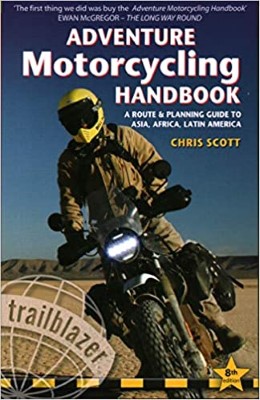
2020 Edition of Chris Scott's Adventure Motorcycling Handbook.
"Ultimate global guide for red-blooded bikers planning overseas exploration. Covers choice & preparation of best bike, shipping overseas, baggage design, riding techniques, travel health, visas, documentation, safety and useful addresses." Recommended. (Grant)
Ripcord Rescue Travel Insurance™ combines into a single integrated program the best evacuation and rescue with the premier travel insurance coverages designed for adventurers.
Led by special operations veterans, Stanford Medicine affiliated physicians, paramedics and other travel experts, Ripcord is perfect for adventure seekers, climbers, skiers, sports enthusiasts, hunters, international travelers, humanitarian efforts, expeditions and more.
Ripcord travel protection is now available for ALL nationalities, and travel is covered on motorcycles of all sizes!
What others say about HU...
"This site is the BIBLE for international bike travelers." Greg, Australia
"Thank you! The web site, The travels, The insight, The inspiration, Everything, just thanks." Colin, UK
"My friend and I are planning a trip from Singapore to England... We found (the HU) site invaluable as an aid to planning and have based a lot of our purchases (bikes, riding gear, etc.) on what we have learned from this site." Phil, Australia
"I for one always had an adventurous spirit, but you and Susan lit the fire for my trip and I'll be forever grateful for what you two do to inspire others to just do it." Brent, USA
"Your website is a mecca of valuable information and the (video) series is informative, entertaining, and inspiring!" Jennifer, Canada
"Your worldwide organisation and events are the Go To places to for all serious touring and aspiring touring bikers." Trevor, South Africa
"This is the answer to all my questions." Haydn, Australia
"Keep going the excellent work you are doing for Horizons Unlimited - I love it!" Thomas, Germany
Lots more comments here!

Diaries of a compulsive traveller
by Graham Field
Book, eBook, Audiobook
"A compelling, honest, inspiring and entertaining writing style with a built-in feel-good factor" Get them NOW from the authors' website and Amazon.com, Amazon.ca, Amazon.co.uk.
Back Road Map Books and Backroad GPS Maps for all of Canada - a must have!
New to Horizons Unlimited?
New to motorcycle travelling? New to the HU site? Confused? Too many options? It's really very simple - just 4 easy steps!
Horizons Unlimited was founded in 1997 by Grant and Susan Johnson following their journey around the world on a BMW R80G/S.
 Read more about Grant & Susan's story
Membership - help keep us going!
Horizons Unlimited is not a big multi-national company, just two people who love motorcycle travel and have grown what started as a hobby in 1997 into a full time job (usually 8-10 hours per day and 7 days a week) and a labour of love. To keep it going and a roof over our heads, we run events all over the world with the help of volunteers; we sell inspirational and informative DVDs; we have a few selected advertisers; and we make a small amount from memberships.
You don't have to be a Member to come to an HU meeting, access the website, or ask questions on the HUBB. What you get for your membership contribution is our sincere gratitude, good karma and knowing that you're helping to keep the motorcycle travel dream alive. Contributing Members and Gold Members do get additional features on the HUBB. Here's a list of all the Member benefits on the HUBB.
|
|
|









 Linear Mode


